Private Notes vs. Encrypted Email: Which One Should You Use?

James Whitfield
23 May 2026
Private Notes vs. Encrypted Email: Which One Should You Use?
In an era where data breaches make headlines almost weekly and privacy regulations grow stricter by the day, protecting sensitive information is no longer optional — it’s essential. Whether you’re sharing a password with a colleague, sending confidential business details to a client, or transmitting personal information that simply shouldn’t linger in anyone’s inbox, you need the right tool for the job.
Two of the most popular solutions for secure communication are encrypted email and private (self-destructing) notes. Both promise security, but they work in fundamentally different ways and serve very different purposes. Choosing the wrong one can leave you with a false sense of security — or an unnecessarily complicated workflow.
In this comprehensive guide, we’ll break down how each technology works, compare their strengths and weaknesses across key criteria, and help you decide exactly when to use each one.
Understanding the Basics
Before we dive into comparisons, let’s make sure we’re on the same page about what each tool actually does.
What Is Encrypted Email?
Encrypted email uses cryptographic protocols to scramble the contents of your message so that only the intended recipient can read it. The two most common standards are:
- PGP (Pretty Good Privacy) / GPG — An open standard where users generate public and private key pairs. The sender encrypts a message with the recipient’s public key, and only the recipient’s private key can decrypt it.
- S/MIME (Secure/Multipurpose Internet Mail Extensions) — A certificate-based system often used in enterprise environments, where a trusted certificate authority issues digital certificates to verify identities.
- Provider-level encryption — Services like ProtonMail, Tutanota, and others handle encryption automatically between users on the same platform, and offer password-protected messages for external recipients.
- One-time access — The note can typically be read only once before it’s deleted from the server.
- Expiration timers — If the note isn’t opened within a specified window, it self-destructs automatically.
- No accounts required — Most services don’t require the sender or recipient to create an account.
- Zero-knowledge architecture — The best platforms encrypt notes client-side, meaning even the service provider cannot read your content.
- Encrypted email stores messages on servers indefinitely (unless manually deleted). Even though the content is encrypted, the ciphertext still exists. If encryption keys are ever compromised — through a future vulnerability, quantum computing advances, or human error — those old messages could potentially be decrypted.
- Private notes eliminate this risk entirely. Once a note is read or expires, the data is gone. There is no ciphertext to attack, no archive to breach, and no trail to follow.
- Sender and recipient addresses
- Timestamps
- Subject lines (often unencrypted)
- IP addresses
- Email server information
- Sharing passwords or API keys — You need to transmit a credential once, and you don’t want it sitting in an inbox forever. A self-destructing note is perfect.
- Sending one-time sensitive information — Social Security numbers, bank account details, PIN codes, or access codes that the recipient only needs to see once.
- Communicating with non-technical recipients — If your recipient doesn’t use encrypted email (and let’s be honest, most people don’t), a private note link is frictionless.
- Whistleblowing or anonymous tips — When you need to share information without creating a persistent trail or requiring account creation.
- Quick confidential messages — When setting up encrypted email infrastructure is overkill for a single piece of sensitive information.
- Reducing liability — In regulated industries, minimizing the amount of sensitive data stored in email systems can help with compliance (GDPR, HIPAA, etc.).
- Ongoing confidential correspondence — Lawyer-client communication, doctor-patient exchanges, or long-term business negotiations.
- Sending encrypted file attachments — Contracts, financial documents, medical records, and other files that need encryption.
- Regulatory compliance requiring audit trails — Some regulations require that you retain encrypted copies of communications. Self-destructing notes would violate these requirements.
- Team-wide secure communication — When an entire organization needs a standardized, encrypted communication platform.
- Identity verification — S/MIME certificates and PGP key signing provide cryptographic proof of the sender’s identity, which private notes typically cannot offer.
- Use encrypted email for the conversation, private notes for the credentials. You might discuss a project over encrypted email but share the database password via a self-destructing note.
- Use private notes to bootstrap encrypted email. Need to share a PGP passphrase or an initial encryption key with someone? A self-destructing note is a secure way to transmit that bootstrapping secret.
- Use private notes for external parties, encrypted email for internal teams. Your organization might use ProtonMail or S/MIME internally but share sensitive data with clients and vendors via private note links.
- Is this a one-time transmission or an ongoing conversation?
- Does the data need to be retained for compliance?
- How technical is your recipient?
- How sensitive is the information?
- Do you need to send file attachments?
- Do you need to verify the sender’s identity cryptographically?
- Assuming encrypted email protects metadata. It doesn’t. Subject lines, sender/recipient info, and timestamps are typically visible.
- Sharing private note links over insecure channels. If you paste a self-destructing note link into a regular (unencrypted) email or SMS, an attacker who intercepts that channel gets the link.
- Forgetting about screenshots and copy-paste. Neither tool can prevent a recipient from screenshotting or copying the content. Security tools protect data in transit and at rest, not from a determined human at the endpoint.
- Neglecting key management for encrypted email. Lost private keys mean lost access to all your encrypted messages. Back up your keys securely.
- Using private notes for information that needs to be referenced later. If the recipient needs to refer back to the information, a self-destructing note is the wrong tool — they’ll just copy it somewhere insecure anyway.
What Are Private Notes (Self-Destructing Notes)?
Private notes — sometimes called self-destructing notes, burn-after-reading notes, or one-time secret links — take a radically different approach. Instead of encrypting a traditional email, you create a note on a secure platform, receive a unique link, and share that link with your recipient. Once the note is opened (or after a set expiration time), it is permanently destroyed.
Key characteristics include:
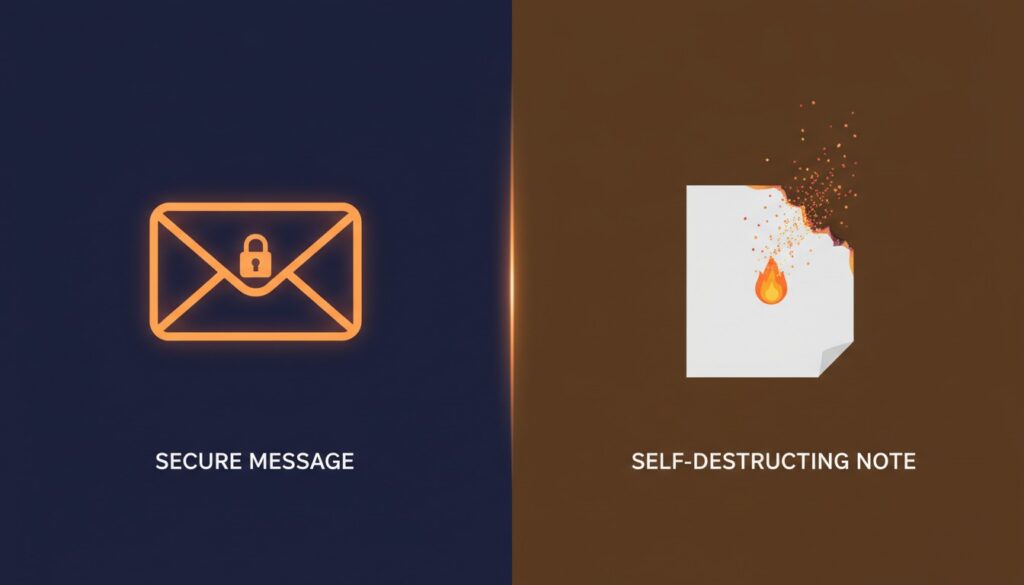
Think of it this way: Encrypted email is like sending a letter in an unbreakable safe. Private notes are like writing a message on paper that bursts into flames after being read.
Security Strength: How Do They Compare?
Security is the primary reason you’d consider either tool, so let’s examine this dimension carefully.
Encryption Quality
Both tools can offer strong end-to-end encryption when implemented properly. Encrypted email services typically use AES-256 and RSA-2048 or higher, which are industry-standard algorithms. Quality private note services also use AES-256 encryption with client-side key generation, meaning the server never sees your plaintext data.
Verdict: Roughly equal — when both use modern encryption standards, the raw cryptographic strength is comparable.
Data Persistence
This is where the two approaches diverge dramatically.
Metadata Exposure
Encrypted email has a well-known weakness: metadata. Even with perfect encryption, email headers reveal:
Verdict: Private notes have the edge on metadata protection, though neither solution is perfectly anonymous without additional tools like VPNs or Tor.
Attack Surface
Encrypted email involves a complex ecosystem — email clients, servers, key management systems, certificate authorities, and more. Each component represents a potential attack vector. Key management alone is a notorious source of user error.
Private notes have a simpler architecture: a web application, a database (temporarily), and a link. Fewer moving parts generally mean fewer opportunities for things to go wrong.
Verdict: Private notes have a smaller attack surface, making them less prone to configuration errors and systemic vulnerabilities.
Convenience and Usability
Security tools are only effective if people actually use them. Let’s compare the user experience.
Setup and Learning Curve
| Factor | Encrypted Email | Private Notes |
|—|—|—|
| Account required | Usually yes | Usually no |
| Key management | Complex (PGP) or moderate (provider-based) | None |
| Software installation | Often required | Browser-based |
| Recipient setup | Recipient needs compatible tools | No setup needed |
| Time to first message | Minutes to hours | Seconds |
Encrypted email — especially PGP-based systems — has long been criticized for its steep learning curve. Even provider-based solutions like ProtonMail require both parties to be on the platform (or the recipient must handle a password-protected link).
Private notes are dramatically simpler. You type your message, click a button, get a link, and send it. The recipient clicks the link and reads the note. Done.
Verdict: Private notes win overwhelmingly on ease of use.
Conversation Flow
Encrypted email supports ongoing conversations naturally. You can reply, forward, CC others, attach files, and maintain threaded discussions — all while keeping encryption intact.
Private notes are inherently one-directional and ephemeral. They’re designed for single transmissions, not back-and-forth dialogue. If you need a conversation, you’d need to create a new note for each message.
Verdict: Encrypted email is far superior for ongoing communication.
File Attachments
Encrypted email handles attachments natively — documents, images, spreadsheets, and more can all be encrypted along with the message body.
Most private note services are text-focused. Some allow small file attachments, but this is not their primary strength.
Verdict: Encrypted email wins for sharing files securely.
Ideal Use Cases: When to Use Each Tool
Now that we understand the strengths and weaknesses, let’s map them to real-world scenarios.
When Private Notes Are the Better Choice
When Encrypted Email Is the Better Choice
A Hybrid Approach: Using Both Tools Together
Here’s a secret that security-savvy professionals already know: you don’t have to choose just one. In fact, the most robust security strategy often combines both tools.
Consider these hybrid workflows:
Pro tip: When sharing a private note link via email, consider that the email itself might not be encrypted. For maximum security, share the link through a different channel than you’d normally use — for example, send the link via a secure messaging app while discussing context over email.
Key Factors to Consider When Choosing
Still not sure which tool fits your situation? Run through this quick checklist:
Common Mistakes to Avoid
Regardless of which tool you choose, watch out for these pitfalls:
Conclusion
Encrypted email and private self-destructing notes are not competitors — they’re complementary tools in your privacy toolkit. Encrypted email excels at ongoing, verifiable, secure communication with full support for attachments and threading. Private notes shine when you need to transmit sensitive data once, with minimal friction, and leave no trace behind.
The smartest approach is to understand the strengths of each and deploy them strategically based on the situation. Ask yourself: Does this information need to persist, or should it disappear? That single question will guide you to the right choice almost every time.
In a world where every message you send could potentially be stored, searched, subpoenaed, or breached, having the power to choose how long your words exist is not just a convenience — it’s a fundamental aspect of digital security.
Take Control of Your Sensitive Communications
Ready to start protecting your most sensitive information? Try using a private note service for your next password share or confidential one-time message. Experience firsthand how simple and powerful ephemeral communication can be. And for your ongoing confidential conversations, invest the time to set up encrypted email properly — your future self will thank you.
The best security strategy isn’t about choosing one tool over another. It’s about choosing the right tool for every situation. Start making smarter choices today.